Private by Design
Your mantras, counts and practice logs stay on your device. No account, tracking or cloud sync.
On your device. In your control.
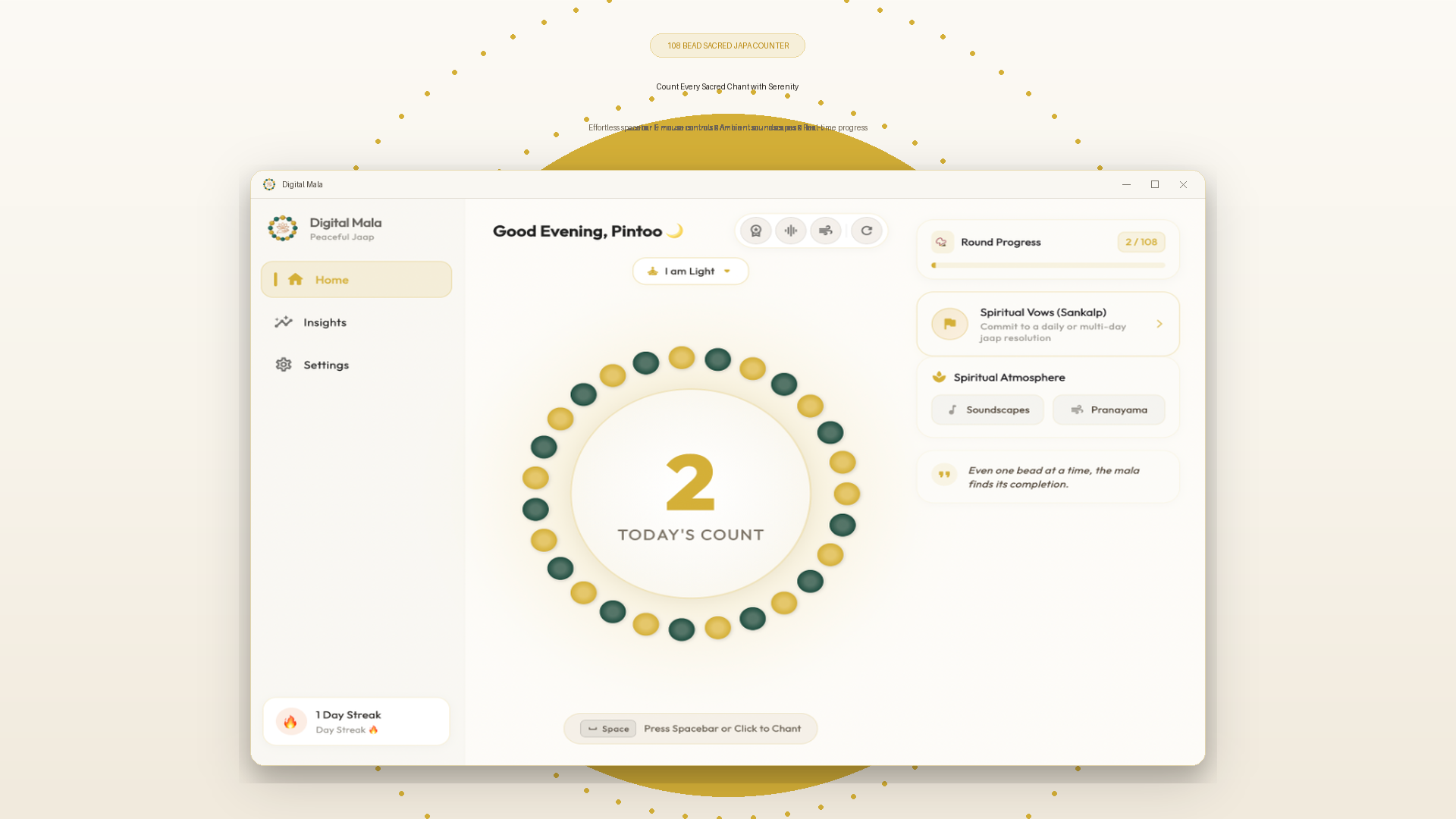
A free, offline mantra and japa counter for Android, Windows and Linux. Stay present and deepen your daily spiritual practice — one bead at a time.
Android, Windows & Linux available. macOS coming soon →
Simple tools for a meaningful ritual. No ads, no distractions, just space to focus on what matters.
Your mantras, counts and practice logs stay on your device. No account, tracking or cloud sync.
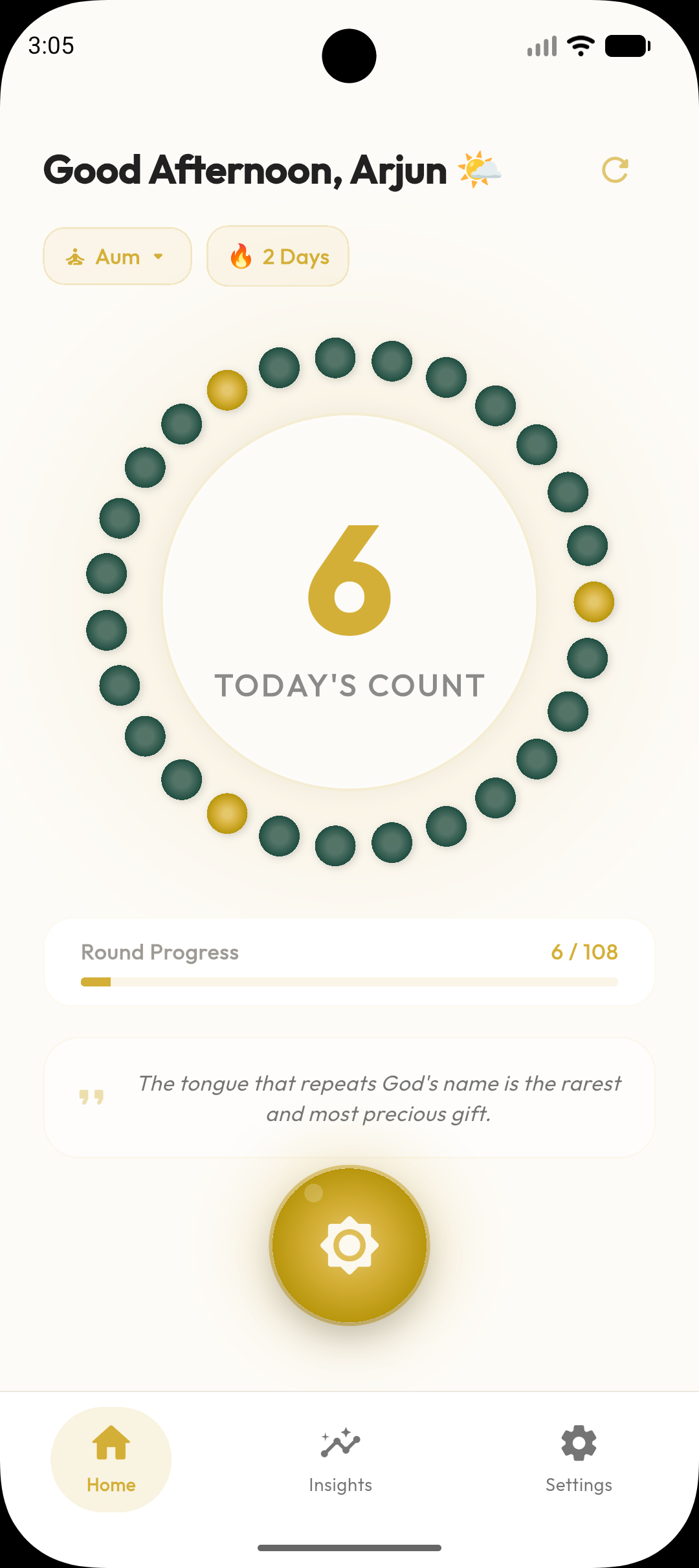
Return a little each day. Streaks and activity insights help you find your own rhythm.
A quiet moment is all you need. Practice wherever you are, with no internet connection.
Choose Rudraksha, Tulsi, Sphatik or Moti beads to make your mala feel familiar.
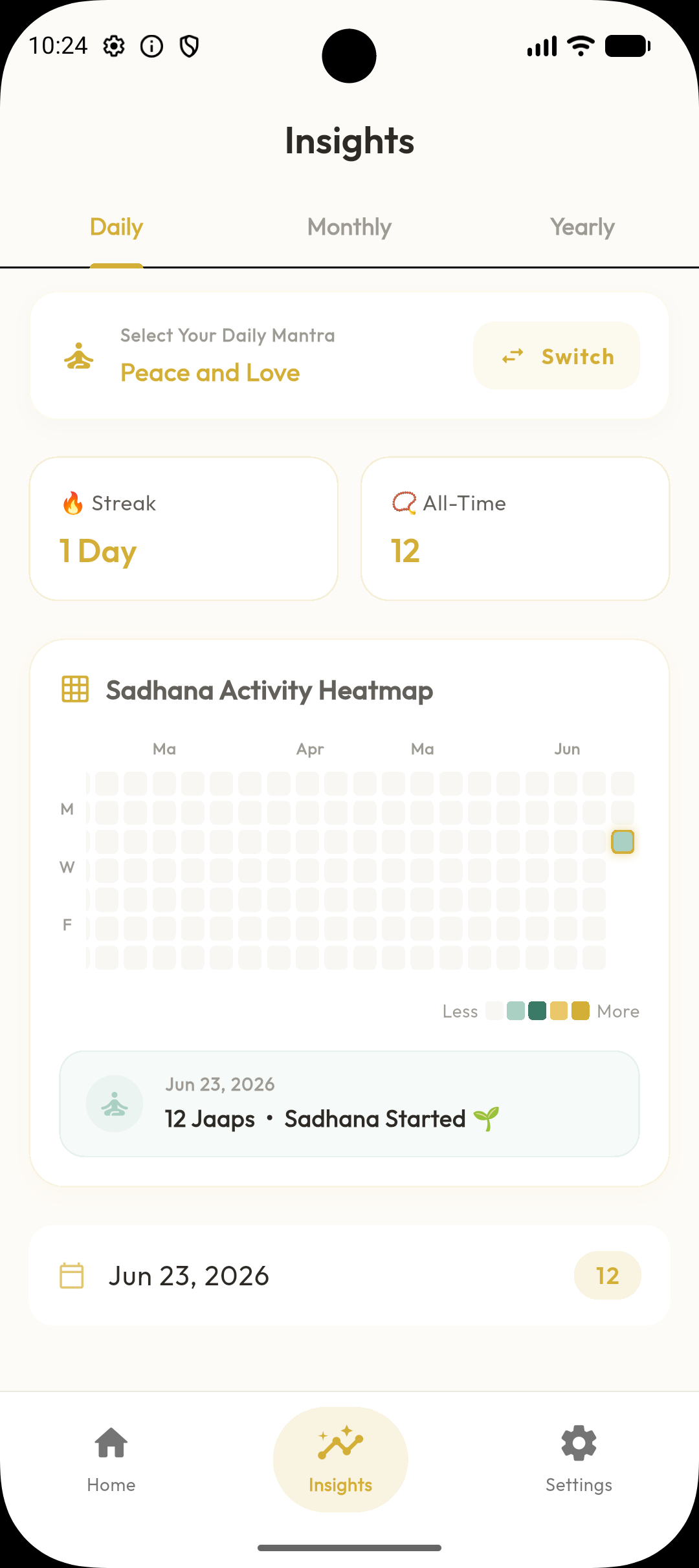
See your practice over time with simple charts and a Sadhana activity heatmap.
Keep a thoughtful record of your rounds, counts and time spent in practice.
Choose a gentle reminder for a time that works for you. Always optional.
Choose 27, 54, 108 or a custom target. Your intention sets the pace.
A familiar ritual, thoughtfully reimagined. Stay with your mantra; let Digital Mala hold the count.
Choose a bead count and mala style that feel right for your practice.
A quiet interface keeps your attention on chanting, one repetition at a time.
Realistic bead animations, immersive haptics, and a clean progress ring for every round.
Subtle haptics help you count without constantly looking at your screen.
Build consistency at your own pace, without turning practice into competition.
Select a traditional mantra like Om Namah Shivaya, or write your own custom spiritual chant.
Choose your virtual prayer beads — Rudraksha, Tulsi, Sphatik crystal, or Moti pearl.
Tap to count. Realistic bead animation, haptic vibration, and gentle sound prompts keep you focused.
Review streaks, heatmaps, charts, and export local PDF reports — all data stays on your device.
Traditional mala practice, supported by thoughtful digital tools — without ads, distractions or unnecessary complexity.
Gentle, optional reminders help you return to your ritual without pressure.
Carry your mala practice wherever your day takes you. A quiet companion for home, work and travel.
Understand your consistency over time. Reflect on the moments you make for yourself.
Your spiritual practice stays yours. No accounts, no trackers, and no cloud storage.
Thoughtful details, from your first mantra to the moments you return to each day.
A clean counter with nothing competing for your attention.
Review your chanting history and consistency.
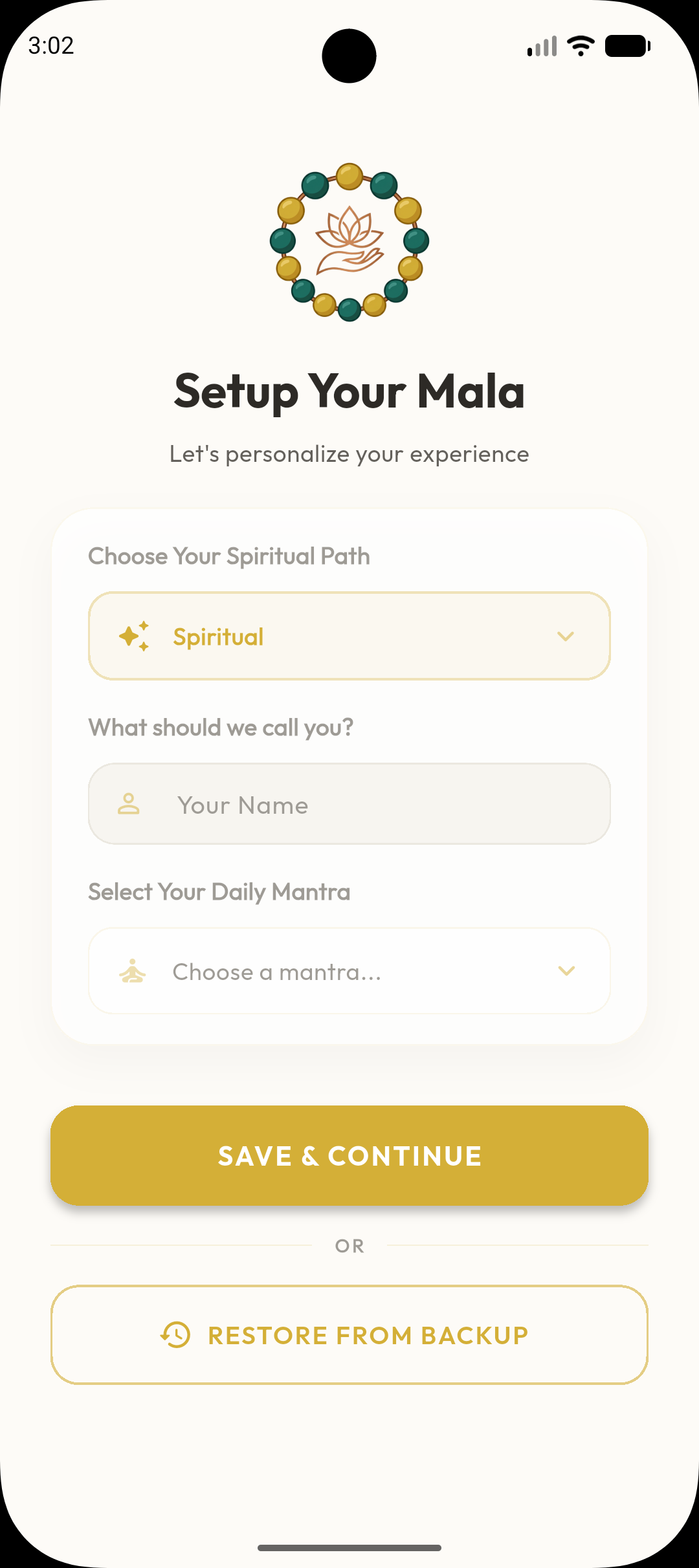
Make the practice your own, at your own pace.
Small moments of focus. Meaningful changes in a daily practice.
“Exactly what I was searching for! Minimalist, clean, and 100% private. The haptic feedback makes it feel like I’m moving real prayer beads. I highly appreciate that there are absolutely no ads.”
“The daily streaks and heatmap tracking kept me disciplined. It is so easy to add custom mantras and choose bead styles like Tulsi. It has become my favorite spiritual travel app.”
“A rare gem on the Play Store. No login, no cloud sync, no tracking permissions. All database storage is local. Thank you developer for respecting user privacy and keeping it ad-free.”
“Beautifully crafted app. The haptic feedback is incredibly satisfying and the minimalist design helps me stay focused during my daily chanting. Highly recommend to anyone on a spiritual journey.”
“I have tried many Japa counter apps but this one stands out. The privacy-first approach and the beautiful Rudraksha bead simulation make it feel truly authentic. A must-have for serious practitioners.”
“Finally an app that respects both tradition and privacy. No ads, no tracking, just pure devotion. The streak tracking has helped me maintain my daily practice for over 3 months now.”
A quieter mind can begin with a single repetition. Start your practice and build a meaningful daily ritual with Digital Mala.
Looking for Windows or Linux? ↓ Available now on Android · Free to use · No account required
Windows and Linux are ready. Choose your download below. The macOS edition is still in development.
Start with Microsoft Store. Prefer a standalone package? Find it below.
Get from Microsoft StoreDownload the x64 desktop bundle directly from GitHub.
Download for LinuxI’m preparing the macOS edition. A little more space for your practice is on the way.